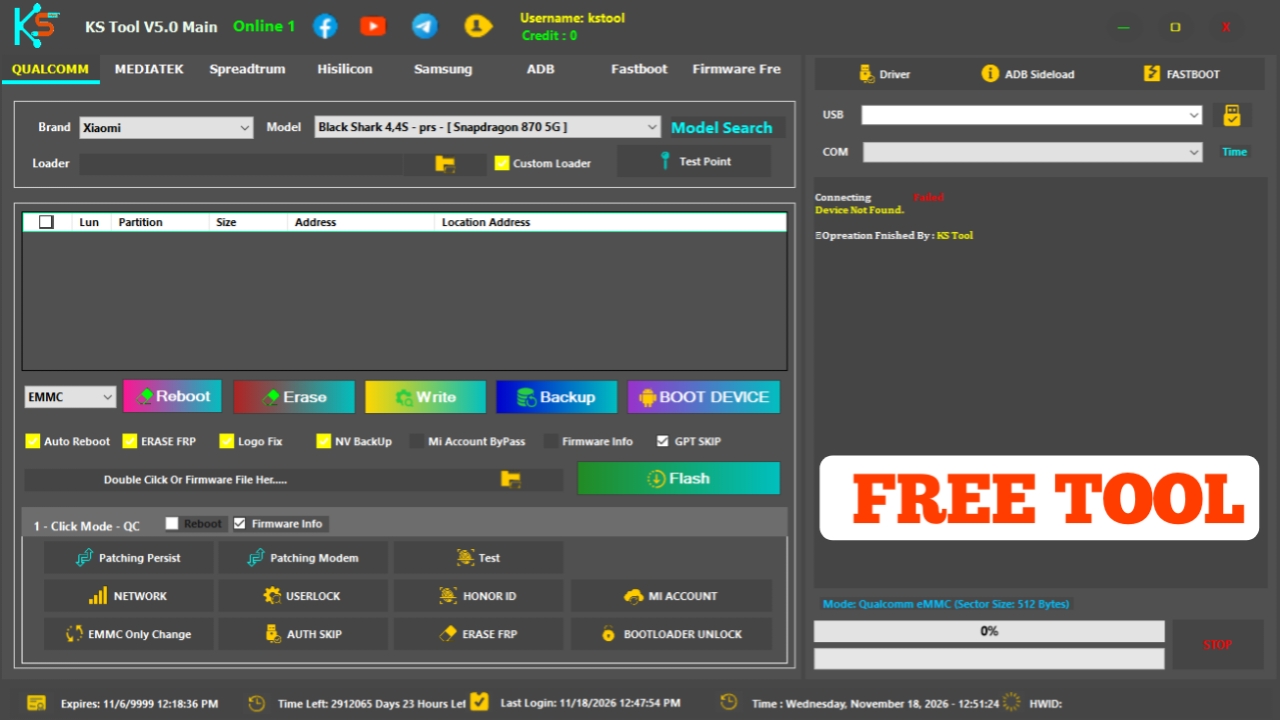
Are you searching for KS Tool V5.0 Free Tool Latest Version 2026 for your Windows PC? KS Tool V5.0 is a mobile servicing utility that may be useful for technicians working with supported Android smartphones.
In this article, we will cover KS Tool V5.0, its features, download information, system requirements, and installation process.
What Is KS Tool V5.0?
KS Tool V5.0 is a Windows-based mobile servicing application intended for Android device maintenance and troubleshooting.
It is designed for users who work with mobile phones through a computer and USB connection. Actual functions and device compatibility depend on the software release.
KS Tool V5.0 Features
Supported Brands
- Samsung
- Xiaomi
- Redmi
- Poco
- Vivo
- Oppo
- Realme
- Tecno
- Infinix
- Itel
- Huawei
- Nokia
- Motorola
Supported Chipsets
- Qualcomm
- MediaTek
- Unisoc
- Huawei Kirin
- EDL Mode
- Fastboot Mode
- ADB Mode
Qualcomm Flashing
- Read GPT
- Read Data
- Flash Firmware
- Reboot Device
- Read Partition
- Write Partition
- Erase Partition
- Select Sector Size
- LUN Selection
- Begin Address Selection
- End Address Selection
- Load Firehose File
- Load Patch File
- Load Firmware File
- Backup GPT
- Reset FRP
- Factory Reset
- Mi Account Reset
- EFS Backup
- EFS Restore
MediaTek Flashing
- Read GPT
- Read Data
- Flash Firmware
- Reboot Device
- Read Partition
- Write Partition
- Erase Partition
- Scatter File Support
- Preloader Selection
- Download Agent Support
- Read RPMB
- Write RPMB
- Erase RPMB
- Backup RPMB
- Restore RPMB
- Factory Reset
- Safe Format
- Meta Mode Support
- Payload Parser
- Open Browser
- Reset FRP
- Reset Userdata and FRP
- Reset Lock
- Reset Mi Account
- Relock Bootloader
- Unlock Bootloader
- Erase FRP
- Security Repair
- Fix DM Verify
- Patch IMEI
- Erase Data
- Reset Backup
Unisoc Features
- Tiger T7250 FRP Bypass
- Factory Reset
- SOC Detection
- Auto Detection
- Reset User Lock
- Samsung Features
- Samsung FRP Reset
- Samsung Factory Reset
Xiaomi Features
- Mi Account Reset
- Xiaomi Diag Enable
- Bootloader Unlock
- FRP Reset
- Factory Reset
Supported Operations
- Flash Firmware
- Read Firmware
- Write Firmware
- Erase Firmware
- Readback Support
- Partition Manager
- Bootloader Operations
- FRP Unlock
- Userdata Reset
- Security Backup
- Security Restore
- Device Information Read
- Memory Information Read
- ADB Support
- Fastboot Support
- EDL Support
How to Install KS Tool V5.0 on Windows
- Download the KS Tool V5.0 package.
- Extract the downloaded archive.
- Open the extracted folder.
- Read the included instructions.
- Install the required USB drivers from trusted sources.
- Run the application
- Connect a supported Android device
KS Tool V5.0 System Requirements
- Operating System: Windows 10 / Windows 11 recommended.
- RAM: 4 GB or higher recommended.
- Processor: Compatible Windows processor.
- Storage: Sufficient free disk space.
- USB Port: Required.
- USB Drivers: Compatible mobile USB drivers.
- Internet Connection: May be required for online features.
Why Use KS Tool V5.0?
Mobile technicians often need software utilities to identify connected devices and perform authorized maintenance. A compatible servicing application can make device troubleshooting and routine work more convenient.
Before using KS Tool V5.0, check whether your smartphone model and Android version are supported.
Conclusion
KS Tool V5.0 Download Free Tool – Latest Version 2026 is a useful topic for mobile servicing enthusiasts and Android technicians looking for Windows-based tools.
Before downloading, verify the software source, supported devices, and actual features. Always use a trusted installation package.
Keep visiting our website for more Android tools, mobile servicing software, USB drivers, and the latest technology updates.
Password: gsmyogesh
Login Username: kstool
Login Password: v5