Best Flash Tools – Free Download (Latest Versions)
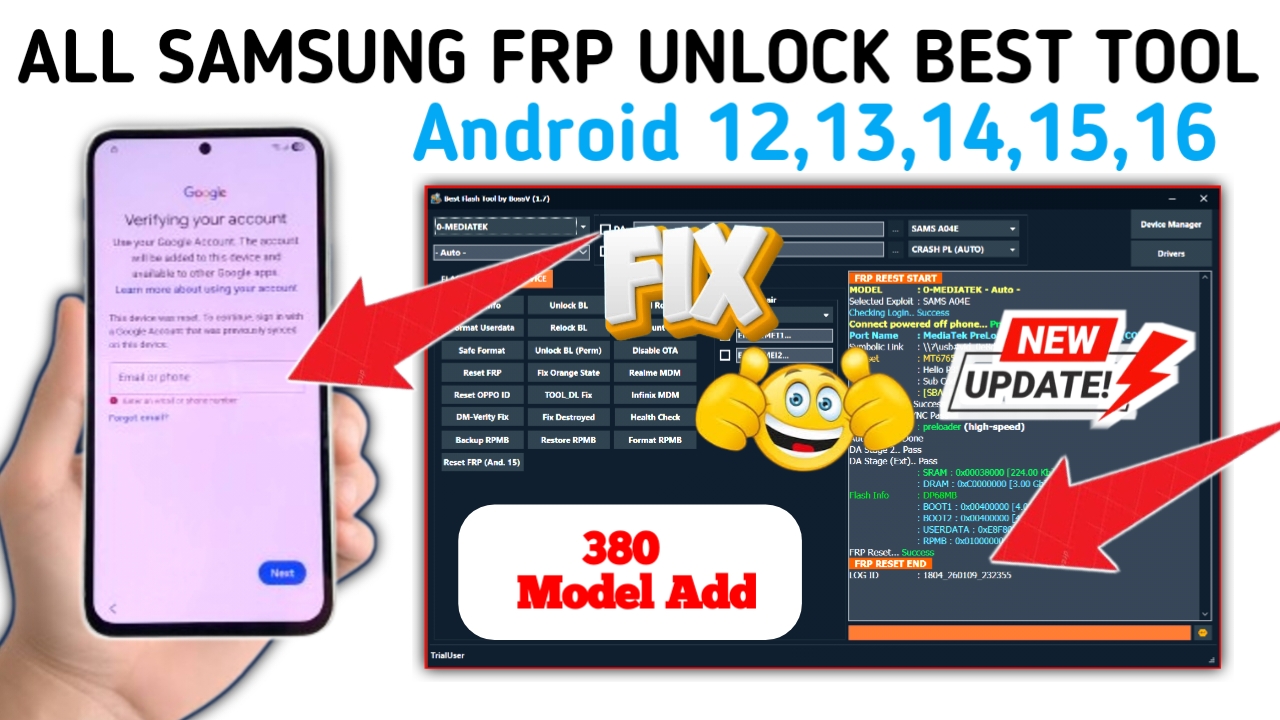
Flash tools are programs used to install firmware, recover bricked phones, downgrade/upgrade software, and fix system issues on Android devices. They work with various chipsets — Qualcomm, MediaTek, Spreadtrum/UniSoC, and more.
Below is a list of the top free flash tools that are popular with mobile technicians, along with what they do and where to get them.
🔧 1. SP Flash Tool (MediaTek Flash Tool)
Purpose: Flash Stock ROM, format, read/write partitions, recovery installation on MediaTek devices.
▶ Key Features
- Supports MTK (MediaTek) devices
- Flash firmware using Scatter files
- Fix bootloop/bricked phones
- Format / Memory operations
📥 Free Download:
➡️ Softpedia / Official reps host the latest SP Flash Tool version
(You should search for “SP Flash Tool latest free download” or go to a trusted software hub)
📌 Why It’s Best for MTK
SP Flash Tool is the official MediaTek flash utility used worldwide to flash firmware packages with a simple scatter file structure.
🔧 2. QFIL (Qualcomm Flash Image Loader)
Purpose: Flash firmware on Qualcomm Android phones in EDL 9008 mode.
▶ Key Features
- Detects Qualcomm devices in Qualcomm HS-USB QDLoader 9008
- Flash .mbn / .xml / .hex firmware
- Works with EDL mode when Fastboot/ADB fail
📥 Free Download:
➡️ Qualcomm QPST / QFIL packages from official Qualcomm or trusted flash tool repos
📌 Why It’s Best for Qualcomm
No other free tool matches Qualcomm EDL-flashing compatibility as well as QFIL for low-level flashing.
🔧 3. Odin (for Samsung Devices)
Purpose: Flash stock Samsung firmware, recovery, kernels, and fixes.
▶ Key Features
- Flash official Samsung .tar.md5 files
- System / CSC / AP / BL insert zones
- PIT repairs for partitions
- Firmware upgrades & downgraders
📥 Free Download:
➡️ Samsung Odin latest version from reputable tool sites
📌 Used For:
Best for Samsung repair and official firmware flash — widely supported and highly stable.
🔧 4. Xiaomi Mi Flash Tool
Purpose: Official Xiaomi firmware flashing (Fastboot mode).
▶ Key Features
- Flash Xiaomi stock software
- Relock bootloader (option)
- Mi Cloud refresh / wipe reset (in some builds)
- Supports most Redmi/Xiaomi/POCO devices
📥 Free Download:
➡️ Xiaomi Mi Flash Tool from xiaomi firmware resource sites
📌 Best For: Xiaomi/Redmi/POCO devices in Fastboot mode.
🔧 5. SPD Flash Tool (Spreadtrum / UniSoC)
Purpose: Flash firmware on Spreadtrum/UniSoC chipset phones.
▶ Key Features
- Flash PAC format firmware
- Emergency programming
- Restore bricked Spreadtrum phones
📥 Free Download:
➡️ Official Spreadtrum flash tools from sites like spdflashtool.com
📌 For: Phones with Spreadtrum/UniSoC chips.
🔧 6. Huawei Multi-Download / Huawei Flash Tool
Purpose: Flash Huawei / Honor firmware via USB.
▶ Key Features
- Flash stock firmware with update.app
- Unbrick / Restore partitions
- Supports older and newer Huawei models
📥 Free Download:
➡️ Search “Huawei Multi-Download Tool latest free download” on reputable tool repositories
🛠 Flash Tools for Universal / All-in-One Repair
These tools combine flashing with additional repair features like FRP bypass, IMEI repair, etc. Many are free or offer free versions:
Supports:
✔ Qualcomm (EDL)
✔ MediaTek (Meta/BROM)
✔ Samsung and more
📥 Free Download:
Search reputable GSM tool sites for MRT Free Module downloads (e.g., “MRT Lite free download 2026”).
📌 Note: Full paid modules exist — but free features exist for basic flashing.
Supports:
✔ Qualcomm & MediaTek Flashing
✔ FRP / Factory Reset
✔ Device diagnostics
📥 Free Download:
Available via UMT official and support communities (look for “UMT Free 2026 download”).
🔧 9. Hydra Tool (Free Limited Modules)
Supports:
✔ Qualcomm flash
✔ FRP / Reset features
✔ Boot repair
📥 Free Download:
Hydra SPRD/Qualcomm modules are shared on GSM communities.
🛡 Important Tips Before Flashing
✔ Install USB Drivers First:
Qualcomm, MTK, Samsung drivers must be installed for the PC to detect phones properly.
✔ Backup Data:
Flashing often erases data — back up if possible.
✔ Match Firmware Exactly to Model:
Using the wrong firmware can brick the device.
✔ Use Trusted Download Sources:
Avoid phishing/malware tool downloads — always prefer reputable mobile repair sites.
var timeLeft = 10;
var downloadBtn=document.querySelector(‘.fileLink’),countdown=document.querySelector(‘.textd’);downloadBtn.addEventListener(‘click’,()=>{var e=document.querySelector(‘.pixabin-targetlink’).innerText,t=setInterval(function(){timeLeft-=1,countdown.innerHTML=’Please wait ‘+timeLeft+’ second.’,timeLeft<=0&&(clearInterval(t),window.location.href=e,setTimeout())},1e3)});
.downloadInfo{max-width:500px;background-color:#fefefe;box-shadow:0 10px 8px -8px rgb(0 0 0 / 12%);border:1px solid #eceff1;border-radius:5px;padding:15px;margin-top:20px;margin-bottom:20px;display:flex;align-items:center;line-height:1.8em;font-size:14px}
.downloadInfo a,.downloadInfo .fileType{flex-shrink:0;display:flex;align-items:center;justify-content:center;width:50px;height:50px;padding:10px;background:#f1f1f0;border-radius:10px}
.downloadInfo a{background-color: #4800ff;color:#fefefe;margin:0;padding:10px 12px;border-radius:3px;width:auto;height:auto;line-height:20px;font-size:13px}
.downloadInfo a:after{content:attr(aria-label)}
.downloadInfo .fileType:before{content:attr(data-text)}
.downloadInfo .fileName{flex-grow:1;width:calc(100% – 150px);padding:0 15px}
.downloadInfo .fileName > *{display:block;white-space:nowrap;overflow:hidden;text-overflow:ellipsis}
.downloadInfo .fileSize{line-height:1.4em;font-size:12px;opacity:.8}
.icon.download{background-image:url(“data:image/svg+xml,”)}
.icon{flex-shrink:0;display:inline-block;margin-right:12px;width:18px;height:18px;background-size:cover;background-repeat:no-repeat;background-position:center}
.pixabin-targetlink{display:none}
@media screen and (max-width:480px){.downloadInfo{padding:12px}.downloadInfo a{width:50px;height:50px;border-radius:10px}.downloadInfo a:after{display:none}.downloadInfo a .icon{margin:0}}
pixabin-colour{color: #4800ff;font-size:1.5em;font-weight:bold}