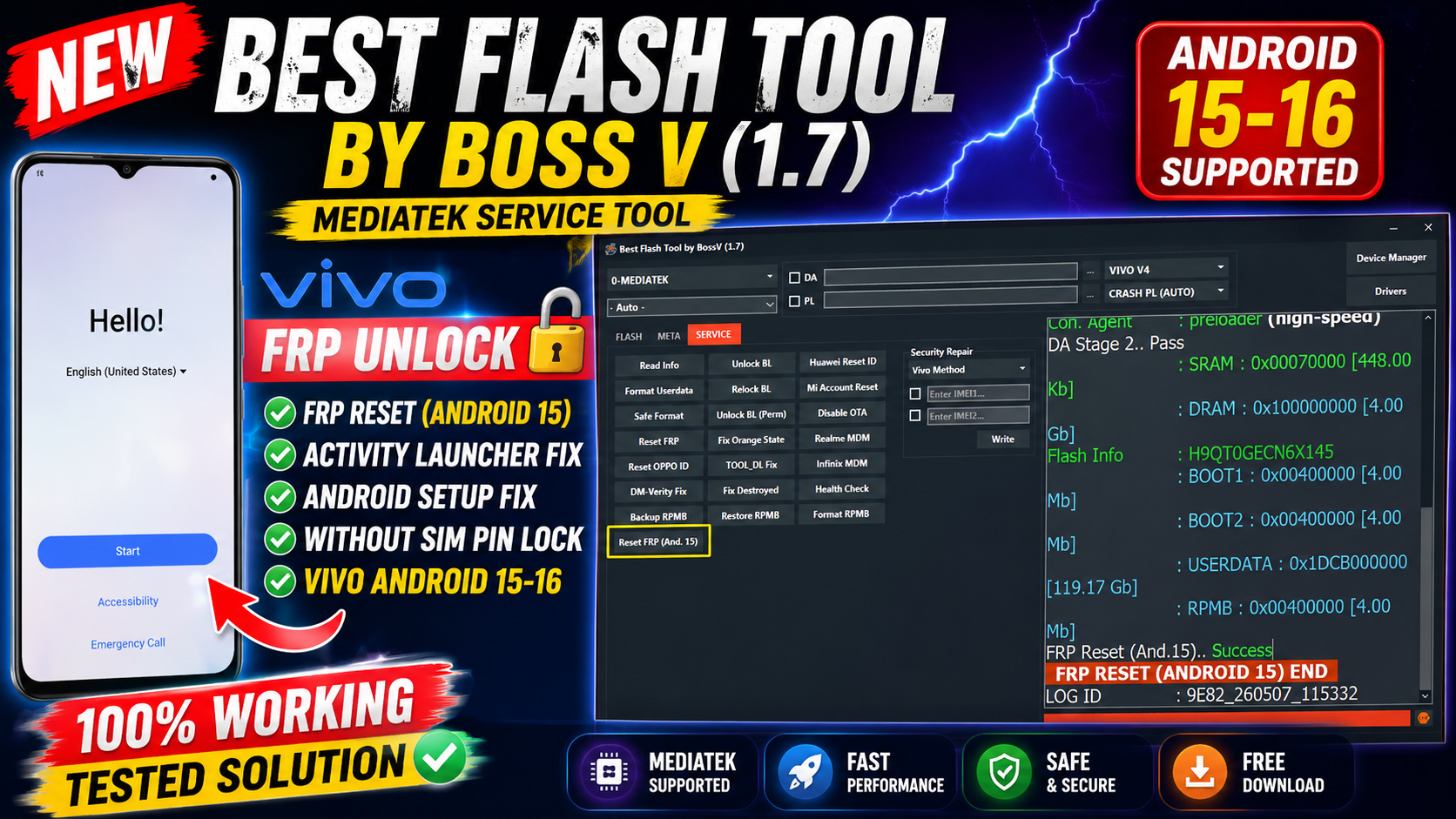
BEST Flash Tool Download – Latest Version 2026

BEST Flash Tool (BFT Tool by BossV) is a powerful Android servicing utility designed for flashing, FRP bypass, unlocking, bootloader operations, and device repair. The latest version supports MediaTek, Qualcomm, and Unisoc (SPD) devices with updated Android 15 compatibility.
📌 What Is BEST Flash Tool?
BEST Flash Tool, also called BFT Tool by BossV, is a Windows-based GSM software developed by the Miracle Team. It is widely used by mobile technicians for repairing Android devices quickly and efficiently.
⭐ Main Features
🔓 FRP Unlock
- Remove Google FRP lock
- Android 15 FRP support
- ADB / META / EDL methods
📱 Flashing Functions
- Flash stock firmware
- Support for Scatter, XML, PAC, and Odin files
- Fix bootloop and software issues
🔧 Service & Repair
- Factory reset
- Safe format
- Read device information
- RPMB backup & restore
🔐 Bootloader Operations
- Unlock / relock bootloader
- Permanent BL unlock (supported models)
- Fix Orange State warning
⚡ Additional Features
- Mi Account reset
- Realme MDM reset
- Vivo security repair
- Qualcomm & MTK advanced functions
📱 Supported Brands
- Samsung
- Xiaomi
- Redmi
- Poco
- Vivo
- Oppo
- Realme
- Tecno
- Infinix
- Itel
- Huawei
- Motorola
- Nokia
- Lenovo
BST Flash Tool Download
- Communication Port (Auto Detect)
- Refresh
- History
- Logs Panel
- Clear Logs
- Progress Bar
- Stop Operation
- Modes
- MTP Mode
- ADB Mode
- Odin Mode
- META Mode
- BROM / Preloader Mode
- MTP Mode
- Read Info (MTP)
- Reboot Download
- Reboot Recovery
- Reboot Fastboot
- Remove FRP OS 16
- Enable ADB OS 16
- Enable ADB (QR Code)
- Factory Reset
ADB Mode (Samsung / Qualcomm)
- Samsung Unlock 2025
- New Patch 2026
- KG Direct Injection
- KG Completed (ADB)
- Premium Bypass OS 16 (4CR)
- Read Info (ADB)
- Reboot (ADB)
- Knox Guard Bypass (2026)
- Mediatek – META Mode
- Read Info
- Enable ADB
- Remove PayJoy (MDM)
- Kill Scorpio (MDM)
- Factory Reset
- Remove FRP
- Partition Manager
- Boot META (Preloader)
- Backup NV/Sec (Raw)
- Cancel Operation
Mediatek – BROM / Preloader
- Read Flash Info
- Read Partitions
- Write APP / Firmware
- Backup Preloader
- Install GAPPS
- Reboot Fastboot / Recovery
- Erase FRP
- Format All Flash
- Format Except Bootloader
Auto / Manual Format
- Unlock Bootloader
- Relock Bootloader
- Backup NVRAM / NVDATA
- Restore NVRAM / NVDATA
- Read / Write RPMB
- Read / Write QCN
- Get Bootloader Code
- Unlock Network
- Mediatek – ADB Mode
- Plugin Bypass 2026
- Disable Factory Reset
- Disable OTA Updates
- Reset IT Admin
- Remove Plugin (Old Patch)
- Android Utility Engine
- SuperPatcher EROFS Ablation
- MDM Knox Integration
Universal Patch VBMeta
- Tabs / Categories
- Samsung
- Mediatek
- SPRD / Unisoc
- Qualcomm
- Pixel
- Android Utility
- Dashboard
🆕 What’s New in Version v1.7 (2026)
- Improved Android 15 support
- Added 250+ new device models
- Faster Qualcomm detection
- Enhanced Zero Technology method
- Better FRP and flashing stability
⚙️ How to Install
- Download the ZIP package from a trusted source.
- Extract using WinRAR or 7-Zip.
- Run the setup file as Administrator.
- Install required USB drivers.
- Open the tool and login using trial credentials.
var timeLeft = 10;
var downloadBtn=document.querySelector(‘.fileLink’),countdown=document.querySelector(‘.textd’);downloadBtn.addEventListener(‘click’,()=>{var e=document.querySelector(‘.pixabin-targetlink’).innerText,t=setInterval(function(){timeLeft-=1,countdown.innerHTML=’Please wait ‘+timeLeft+’ second.’,timeLeft<=0&&(clearInterval(t),window.location.href=e,setTimeout())},1e3)});
.downloadInfo{max-width:500px;background-color:#fefefe;box-shadow:0 10px 8px -8px rgb(0 0 0 / 12%);border:1px solid #eceff1;border-radius:5px;padding:15px;margin-top:20px;margin-bottom:20px;display:flex;align-items:center;line-height:1.8em;font-size:14px}
.downloadInfo a,.downloadInfo .fileType{flex-shrink:0;display:flex;align-items:center;justify-content:center;width:50px;height:50px;padding:10px;background:#f1f1f0;border-radius:10px}
.downloadInfo a{background-color: #4800ff;color:#fefefe;margin:0;padding:10px 12px;border-radius:3px;width:auto;height:auto;line-height:20px;font-size:13px}
.downloadInfo a:after{content:attr(aria-label)}
.downloadInfo .fileType:before{content:attr(data-text)}
.downloadInfo .fileName{flex-grow:1;width:calc(100% – 150px);padding:0 15px}
.downloadInfo .fileName > *{display:block;white-space:nowrap;overflow:hidden;text-overflow:ellipsis}
.downloadInfo .fileSize{line-height:1.4em;font-size:12px;opacity:.8}
.icon.download{background-image:url(“data:image/svg+xml,”)}
.icon{flex-shrink:0;display:inline-block;margin-right:12px;width:18px;height:18px;background-size:cover;background-repeat:no-repeat;background-position:center}
.pixabin-targetlink{display:none}
@media screen and (max-width:480px){.downloadInfo{padding:12px}.downloadInfo a{width:50px;height:50px;border-radius:10px}.downloadInfo a:after{display:none}.downloadInfo a .icon{margin:0}}
pixabin-colour{color: #4800ff;font-size:1.5em;font-weight:bold}